
Inventory and stock control
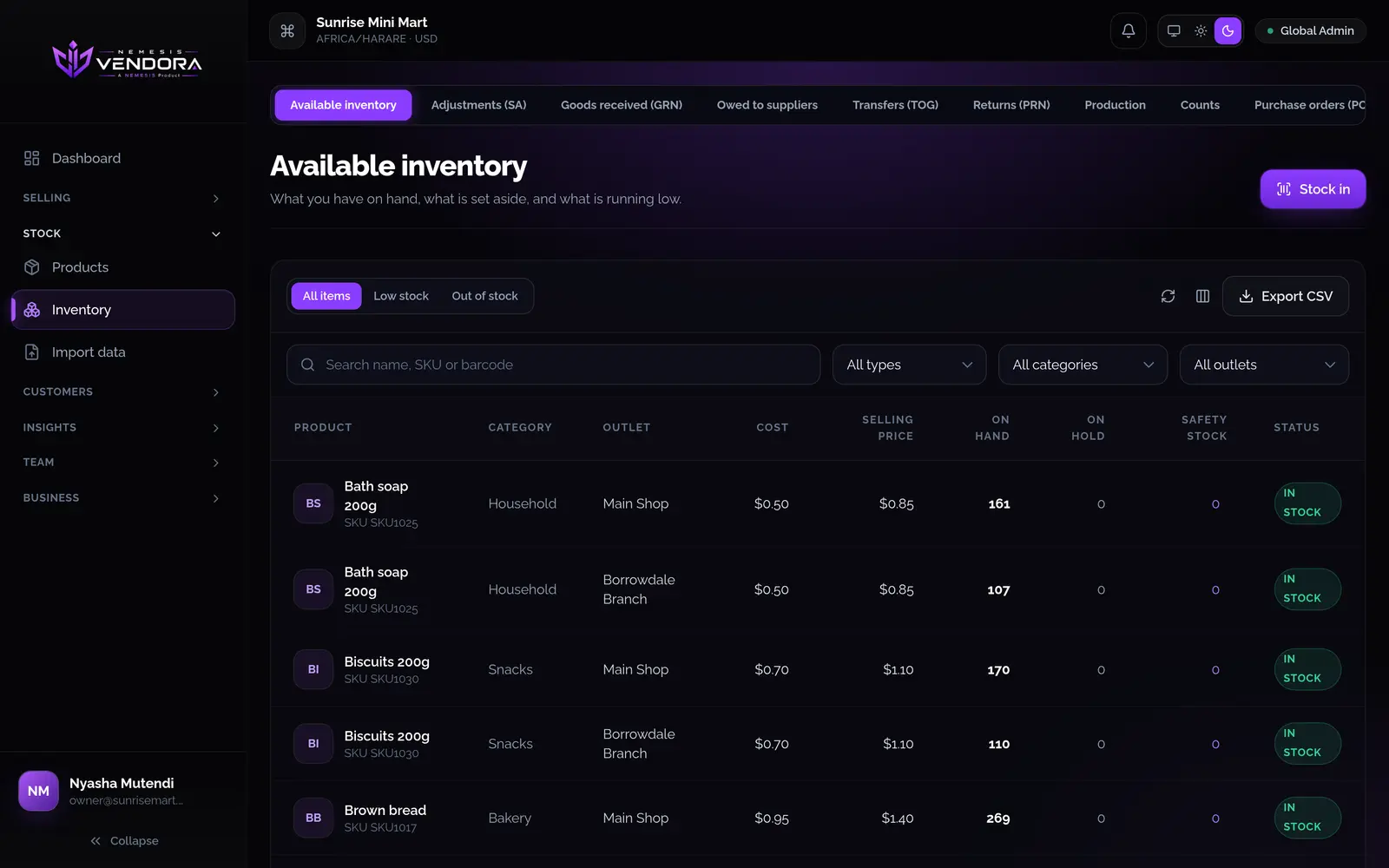
You can see what you hold at each outlet and what it cost you. Stock only changes through recorded actions, and each action carries a name, so a wrong number can be traced back.
Products
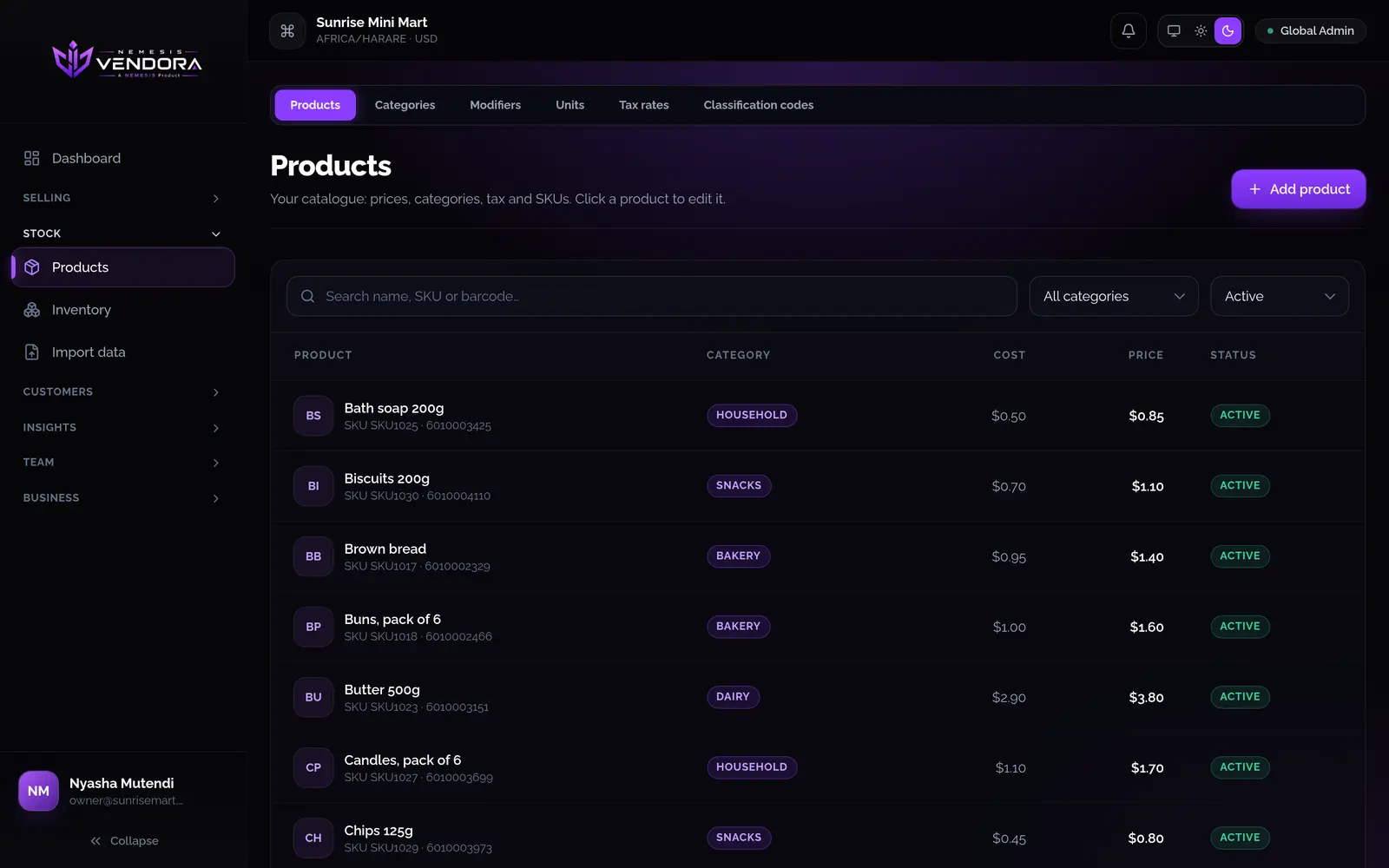
A product has a name, SKU, barcode, category, unit, cost price, selling price and tax rate. You can add up to eight pictures. The first one shows at the till, in search and in inventory.
- Option sets, like extras or sizes, are made once and applied to many products. Past sales keep what was sold.
- A product can have a recipe, which production uses.
- You can import products from a CSV or Excel file. Vendora shows what it would do first, and nothing is saved until you confirm. Opening stock can go in at the same time.
Receiving stock
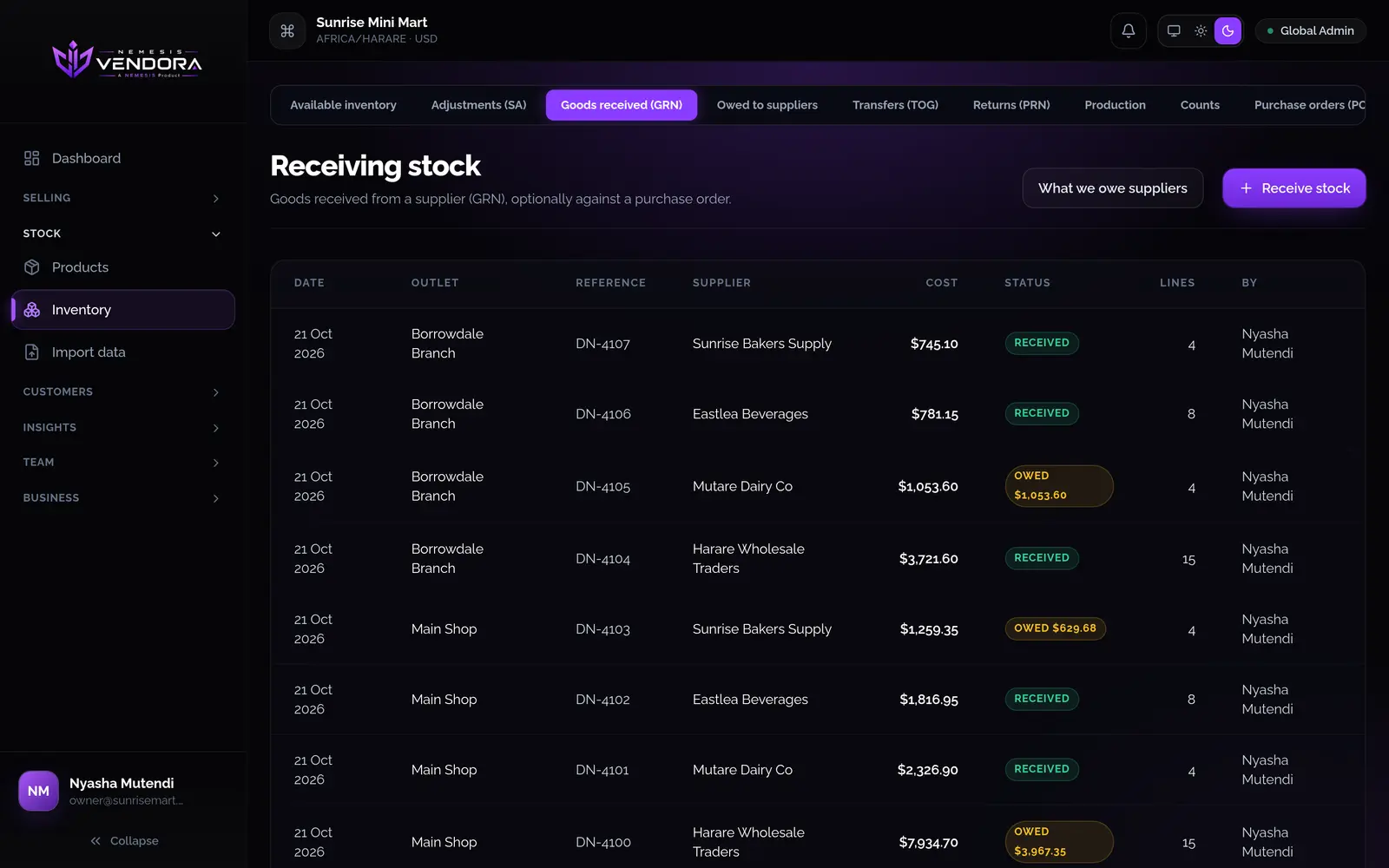
Raise a purchase order for what you've asked a supplier to send, then receive against it. If only part of the order arrives, the rest stays open.
- Record the delivery note number, the supplier's invoice number and the delivery date.
- Add freight, duty or offloading costs. Vendora shares them across the products by value, so each unit carries its real cost.
- Record lot numbers and expiry dates, and see what expires soonest.
- Say how much you paid on the day. Whatever is unpaid stays owed to the supplier, in one list.
- Save a delivery as a draft while you check it. Stock only goes up when you receive it.
Returns, adjustments and transfers
Send goods back to a supplier, correct stock after damage, loss, theft or expiry, and move stock between outlets. While you add products, the form shows the stock now and the stock after the change. The second number turns red if it would go below zero.
Counts and production
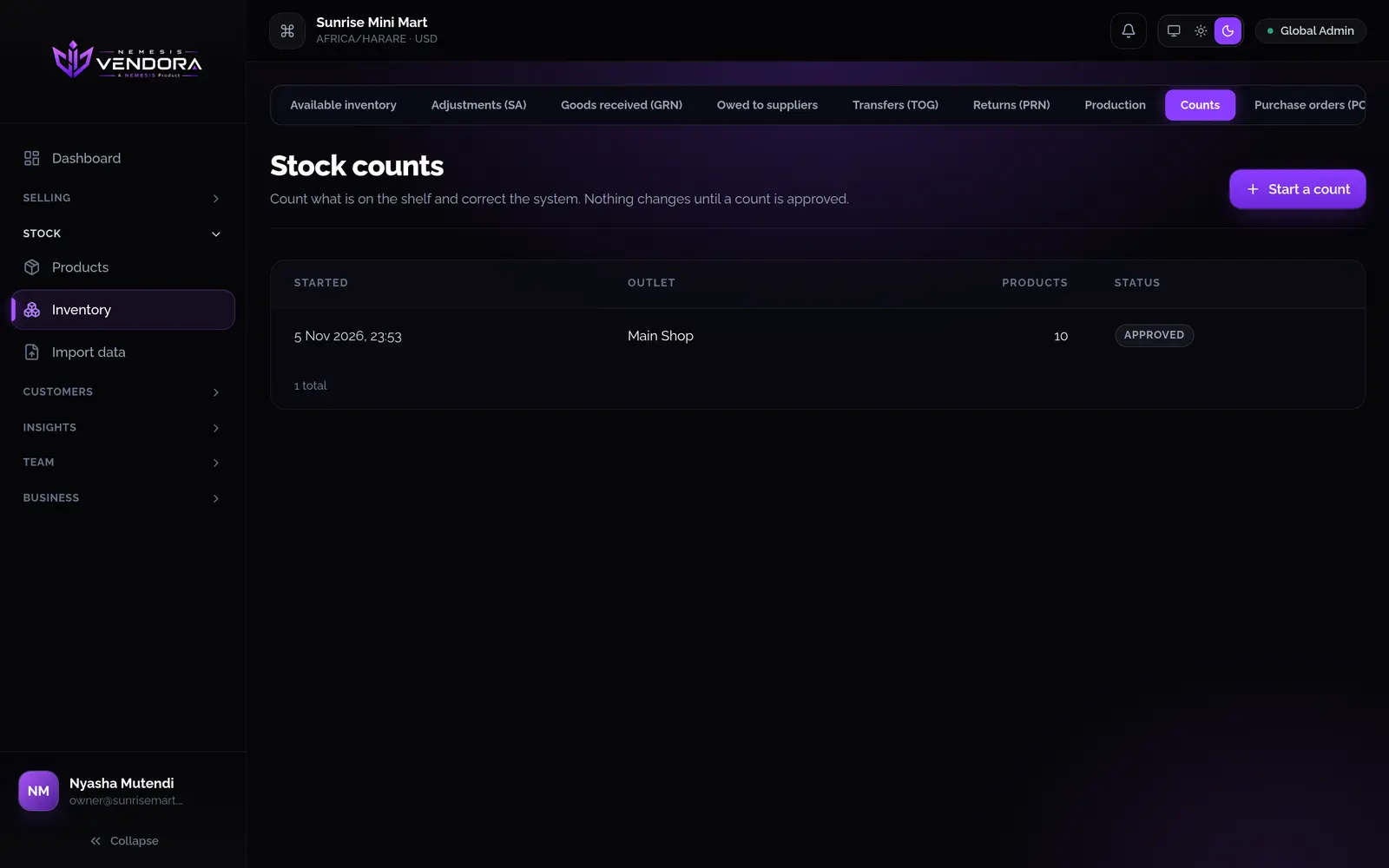
Start a count, type in what you find on the shelf, review the differences and approve. Nothing changes until you approve, and you can cancel a count to leave stock as it was. Production turns ingredients into finished goods using a product's recipe, on the web or on the phone.
Finding out why a number is wrong
Stock moves through sales, refunds, goods received, returns, adjustments, transfers, counts and production, and nothing else.
- A product's stock card lists every movement, the balance after it and who made it.
- The history report shows every movement across your outlets.
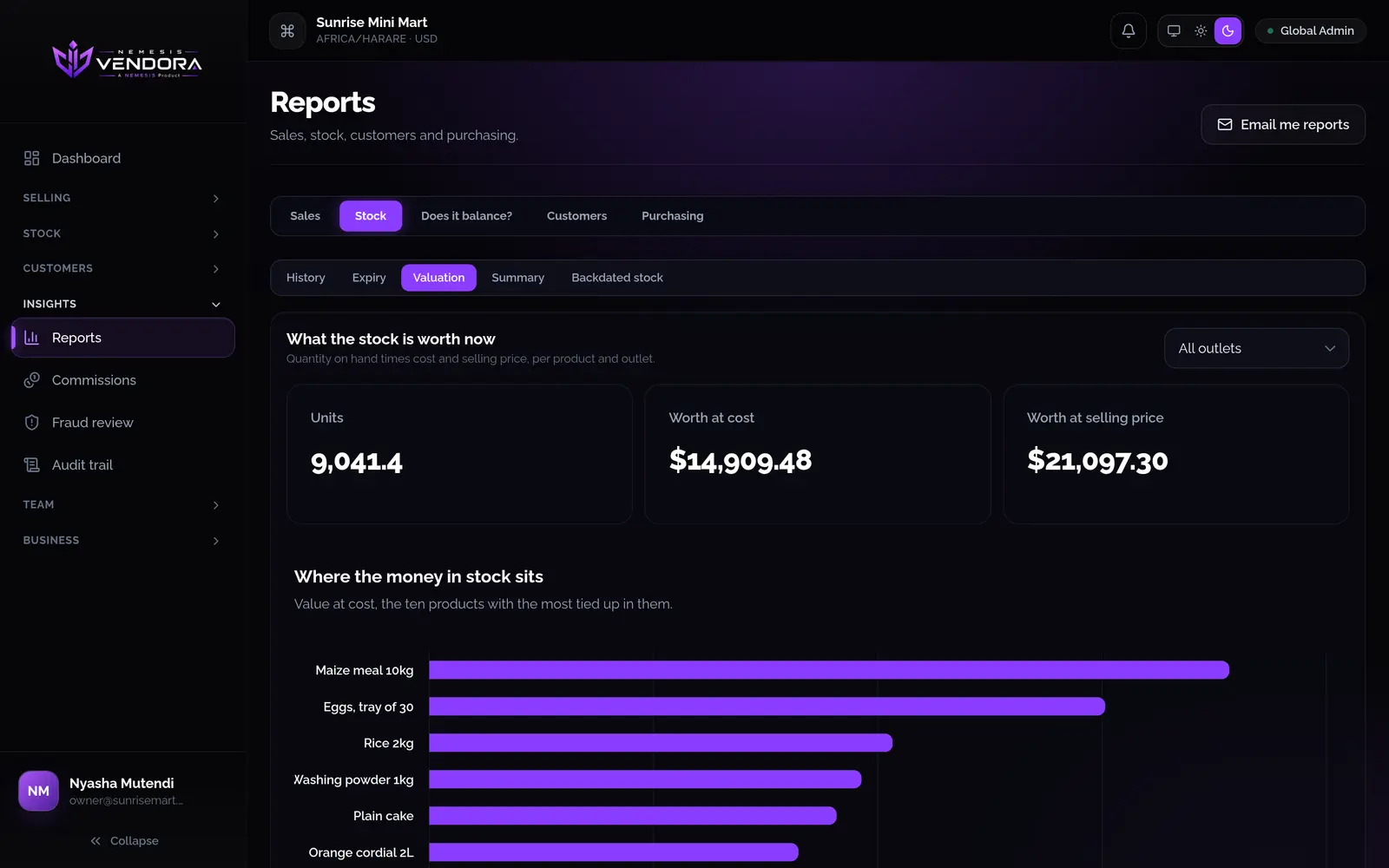
- The valuation report shows what your stock is worth at cost and at selling price. The backdated report shows what you held at a past date and time.
- Cashiers can scan stock in. Only people allowed to adjust stock can take it out, and everyone else can ask for a correction, which sends a notification to the people who can make it.
Questions people ask
Can I track expiry dates?
Yes. When you receive stock, tick the option to record a lot number and expiry date. The expiry report then lists what's on the shelf, soonest first.
Can I run more than one shop?
Yes. Each branch is an outlet with its own stock, and you can transfer stock between outlets. How many outlets you can have depends on your plan.
Can I bring in my existing product list?
Yes. Import a CSV or Excel file. You see a preview first, including any rows that would be skipped, and you choose what happens when a product already exists.
Can stock go negative?
Not unless you allow it. By default a product that has run out can't be sold. If you turn on selling with no stock, the count goes below zero until you receive more.