
Customers and credit
Some customers buy now and pay later. Vendora keeps every amount you put on their account and every payment they make, so you always know who owes what.
Selling on account
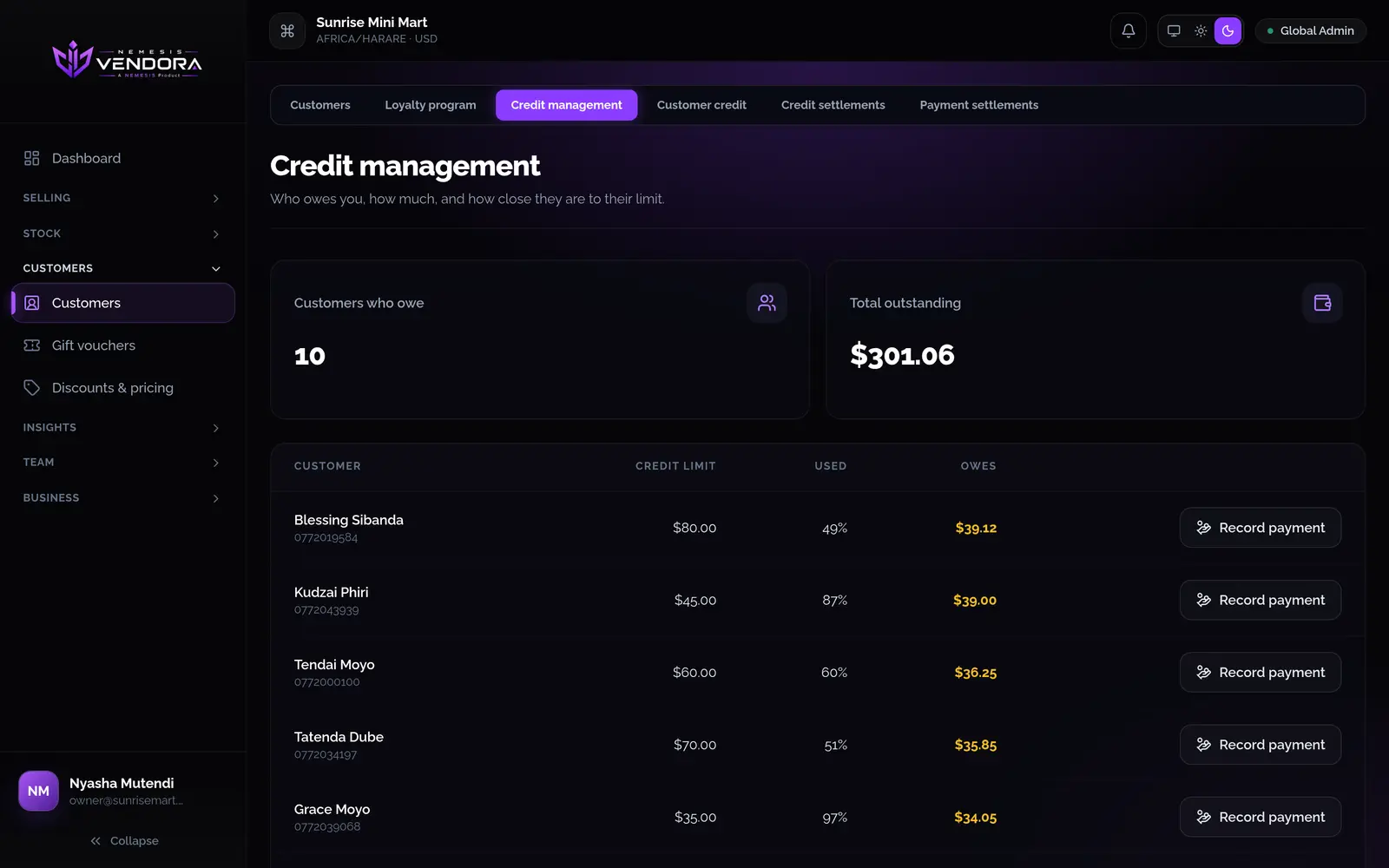
Give a customer a credit limit and they can buy on account. Without a limit they can't. The till refuses any sale that would take them over it.
- Credit management shows who owes you, how much, and how close each person is to their limit.
- When a customer pays, record the payment. You can't record more than they owe.
- On account is switched off until you turn it on under payment methods, so credit only exists if you choose it.
Customer records
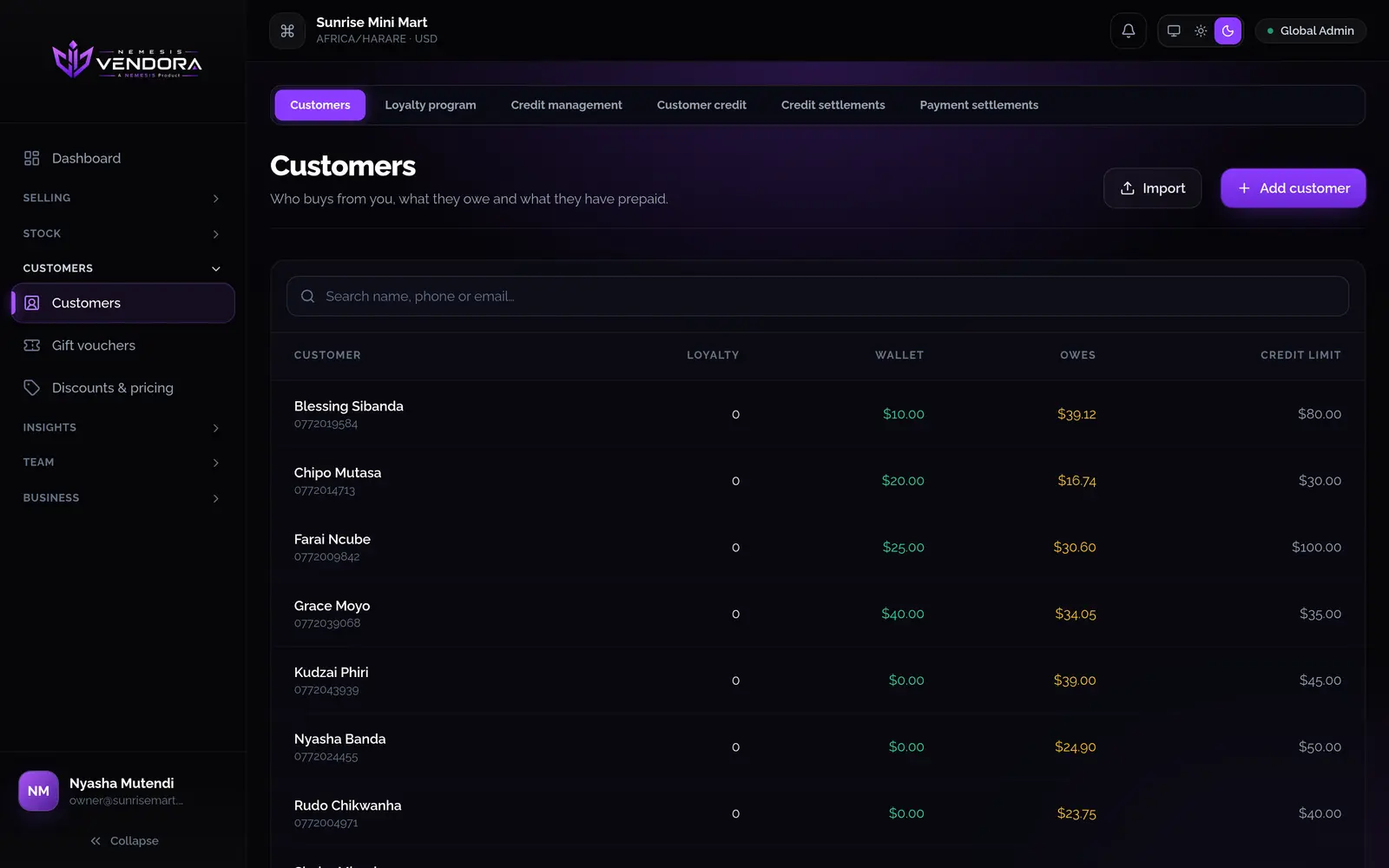
Add customers with a name, phone and email. You can do it from the till while you serve them, or import a list that includes any opening debt. Each customer has a details tab, a wallet tab and a credit tab.
Wallets and credit notes
Add money to a customer's wallet and they can spend it at the till. When you refund and don't want to hand back cash, refund onto the wallet as a credit note.
Settlements
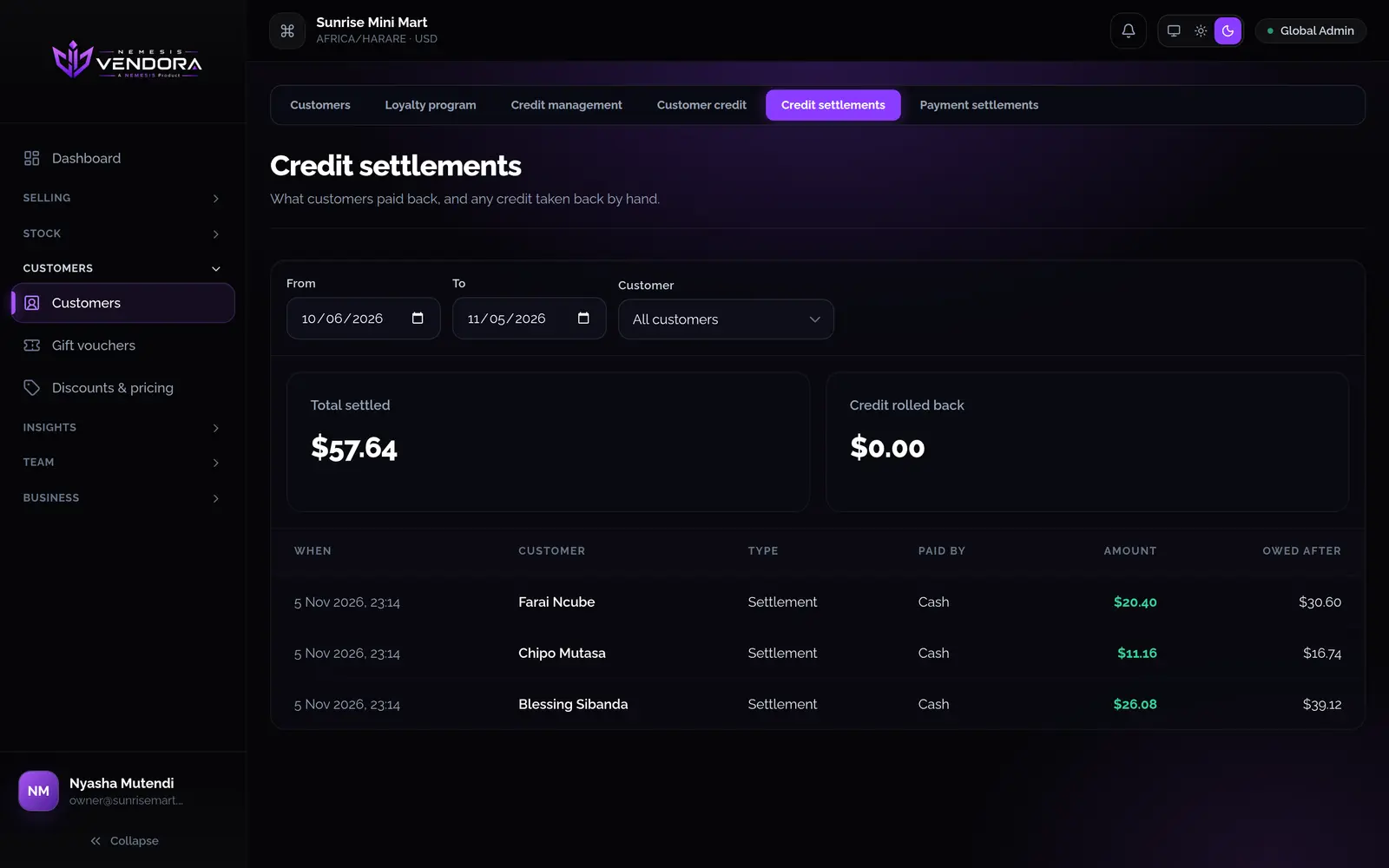
Credit settlements list what customers paid back. Payment settlements show how they paid: cash, card, mobile money and so on. Use them to match the money to your bank and your drawer.
Loyalty points
You choose how spending earns points. A customer gets one point each time their counted spend reaches the amount you set, and you decide what share of the bill counts. Points are earned when the sale has a customer on it.
Questions people ask
Can any customer buy on credit?
No. Only customers you've given a credit limit. The till won't put a sale on account for anyone without one, or past their limit.
Can I see everyone who owes me money?
Yes. Credit management lists who owes, how much, and how close they are to their limit. The customer reports show the same figures with charts.
Is this on every plan?
Credit, wallets and loyalty are features a plan can include. The pricing page shows what each plan has.